You have just purchased or are about to operate a paper bag making machine. The control panel looks unfamiliar, the touchscreen interface shows parameters you have never seen before, and you are unsure where to even begin. Maybe you are a new production line supervisor, or perhaps your factory is expanding and you need to train new operators quickly. Either way, the learning curve can feel steep.
This guide breaks down the entire process of operating a paper bag making machine into clear, manageable steps. You will learn what happens at each stage of production, how to set up the machine correctly, what common mistakes to avoid, and how to keep your machine running smoothly. By the end, you will have a solid foundation to operate with confidence.
First, Understand What the Machine Actually Does
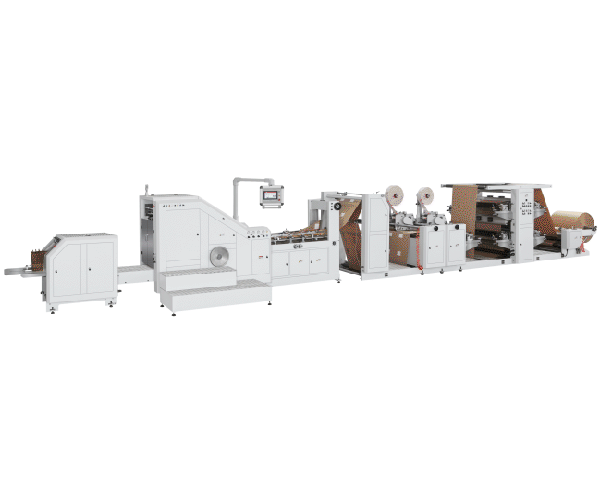
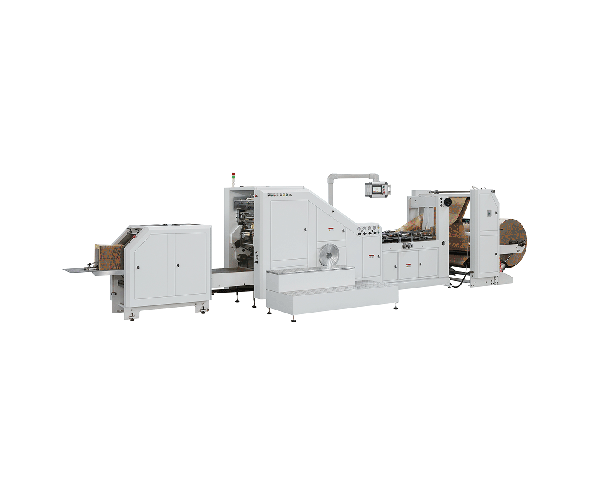
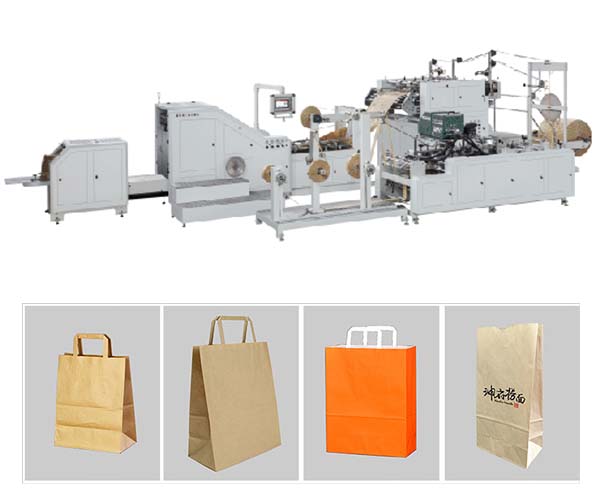
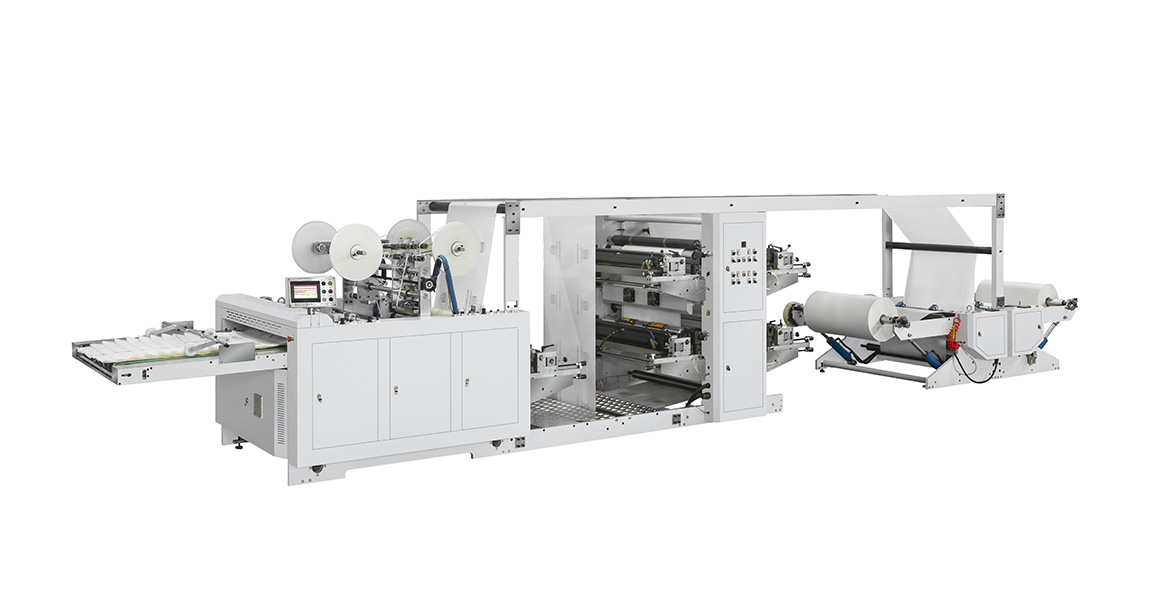
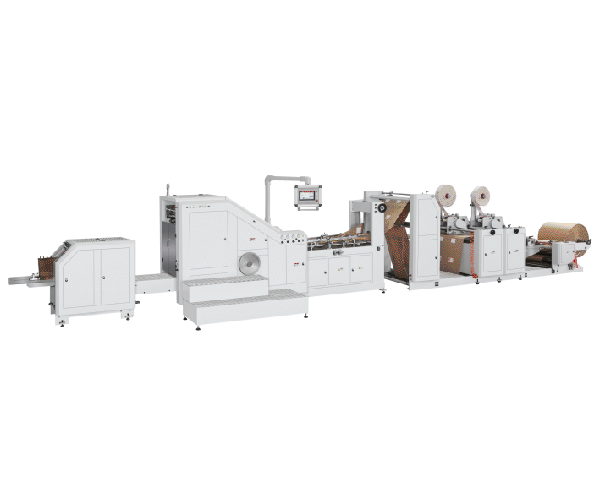
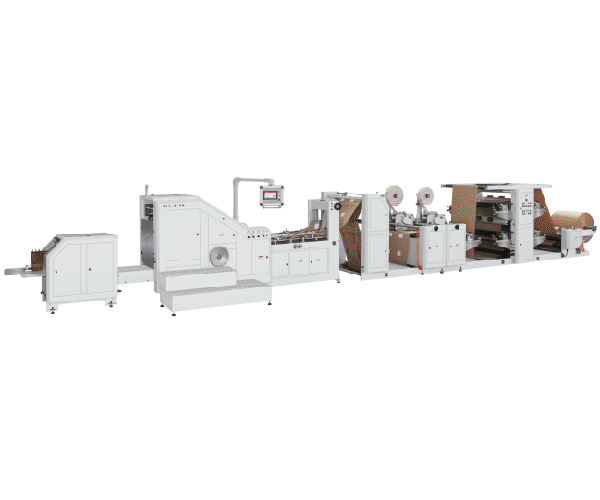
Before you press any buttons, it helps to know what happens inside the machine. A modern automatic paper bag making machine takes a large roll of paper and transforms it into finished paper bags in one continuous process. The key stages are:
-
Unwinding – The paper roll is fed into the machine under controlled tension.
-
Printing – If your bags need branding, the paper passes through a flexo printing unit.
-
Tube forming – The flat paper is folded into a tubular shape and glued along the side seam.
-
Cutting – The tube is cut to the required bag length.
-
Bottom folding and gluing – The bottom is folded inward and glued to form a sturdy base.
-
Finished bag output – Completed bags are counted and stacked automatically.
Understanding this flow helps you troubleshoot because you will know which section of the machine corresponds to each step.
Pre-Operation Checklist – What to Do Before Starting
Skipping preparation is one of the most common beginner mistakes. Take these steps before you power on the machine.
Workspace and Machine Inspection
Ensure the machine is placed on a level, stable surface with adequate clearance—typically at least one meter around the machine for maintenance access. Check that the power supply matches the machine’s specifications (most industrial machines operate on 380V, 50Hz three-phase power). Verify that compressed air lines are properly connected to pneumatic components.
Clean the equipment surfaces, guide rollers, and pressure rollers to prevent paper scratches or misalignment.
Locate the Emergency Stop Button
Before doing anything else, locate every emergency stop button on the machine—typically found on the control panel and at key workstations. In case of any emergency (unusual vibration, abnormal noise, smoke, or risk of operator injury), press the nearest emergency stop immediately. This is your most important safety measure.
Wear Proper Safety Gear
Always wear necessary protective equipment such as gloves and safety goggles to protect yourself from flying debris or sharp objects.
Step-by-Step Operation Guide
Once your pre-operation checks are complete, follow these steps to start production.
Load the Paper Roll
Begin by loading the paper roll onto the machine’s unwinding unit. Many modern machines use a hydraulic or pneumatic lift system to simplify this process. Position the roll so that the paper feeds from the bottom of the roll. Make sure the roll is centered on the shaft to prevent tracking issues.
For machines like the LMD-600B, the paper roll width should be between 220–700 mm, with a maximum roll diameter of 1100 mm. For larger square-bottom machines like the LSB-450, the roll width ranges from 700–1250 mm with a maximum diameter of 1200 mm.
Thread the Paper Through the Machine
Guide the paper through the machine following the manufacturer’s path diagram. Pay close attention to each guide roller—every roller should rotate freely and remain parallel to the machine frame. Even slight misalignment can cause paper creasing or tracking drift downstream.
Feed the first few feet of paper through manually, folding it as if it had already come out of the machine, so the paper can be properly drawn into the system.
Set Machine Parameters on the HMI Touchscreen
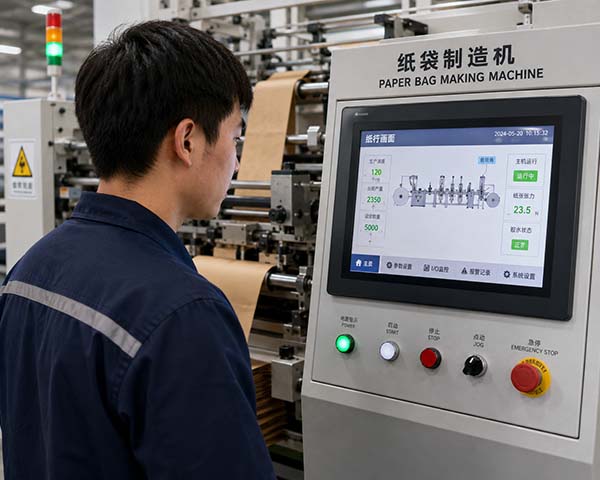
Modern paper bag machines use a touchscreen human-machine interface that displays real-time working conditions. This is where you configure the machine for your specific bag requirements.
Key parameters you will need to set include:
-
Bag width – determines how wide each bag will be
-
Bag length – determines how long each bag will be
-
Bottom width – determines the depth of the bag’s base
-
Paper tension – prevents tearing or misalignment during production
For example, on an LSB-450 square bottom machine, you can set bag width from 260–450 mm, bottom width from 85–180 mm, and cutting length from 270–530 mm. On an LMD-600B V-bottom machine, bag width ranges from 70–280 mm with cutting length from 210–610 mm.
Start the Machine at Low Speed
Once parameters are set, start the machine at a low speed first. This allows you to visually confirm that the paper is feeding correctly, the folds are forming properly, and the glue is being applied evenly. Check the first few bags that come out for any defects before ramping up to full production speed.
Monitor Production and Use the Auto-Count System
As the machine runs, monitor the output quality. Most machines include an automatic counting system – you can set a target number, and the machine will alert you or stop automatically when that quantity is reached. This feature is especially useful for batch production and packaging.
If your machine includes a color mark tracking system, it will automatically detect printed patterns and adjust the cutting position accordingly. If a color mark error occurs, the machine will stop automatically to prevent waste.
Common Beginner Mistakes and How to Avoid Them
Even experienced operators can make errors that affect machine efficiency and output quality. Research indicates that 25% to 40% of paper bag machine users report operational errors. Here are the most common mistakes and how to avoid them.
| Common Mistake | Why It Happens | How to Avoid |
|---|---|---|
| Skipping safety protocols | Rushing to start production | Always locate emergency stops and wear protective gear before powering on |
| Incorrect machine configuration | Not following manufacturer instructions carefully | Read the manual thoroughly; pay attention to paper tension, speed, and other specific settings |
| Ignoring regular maintenance | Assuming the machine will run indefinitely without care | Create and follow a maintenance schedule for cleaning, lubrication, and parts inspection |
| Paper tension issues | Incorrect tension settings cause tearing or misalignment | Use the automatic constant tension control system; for 70–160 gsm kraft paper, start with 100–150 N tension |
| Poor paper quality or misalignment | Paper roll not centered or edge sensor blocked | Center the roll on the shaft; ensure the edge position sensor has a clear view of the material |
Troubleshooting Common Issues
Even with careful operation, issues can arise. Here are some frequent problems and their solutions, based on common industry experience.
Bags are coming out in different lengths
-
Cause: The pressure spring may not be tight enough, causing the rubber roller to slip, or the clipboard clip may be too tight.
-
Solution: Adjust the pressure spring tension and reposition the clipboard clip to the correct setting.
The cutting knife is not cutting through completely
-
Cause: The knife may be dull or the knife slider may have worn out, creating gaps that cause imbalance.
-
Solution: Re-sharpen the knife or adjust the balance of the upper and lower knives.
Glue is not applying evenly or is leaking
-
Cause: The glue application system may need adjustment.
-
Solution: Check and adjust the aluminum pressure roller to ensure even pressure on both sides. For machines with a lower glue trough design, this structure helps prevent glue leakage when the machine stops or runs at low speed.
The color mark tracking system is not sensing correctly
-
Cause: The electric eye may not be configured properly for the paper color.
-
Solution: Check that the electric eye is being used correctly. For single-color paper with heavy color, use red sensing; for lighter colors, adjust the settings accordingly.
Daily Maintenance – Keep Your Machine Running Smoothly
Regular maintenance is essential for smooth operation. Just like you need regular check-ups, your machine needs care too. Here is a simple daily maintenance routine:
-
Clean the machine – Remove dust, grease, and debris from surfaces, guide rollers, and pressure rollers.
-
Check the automatic lubrication system – Many modern machines include an automatic oil supply system. Verify it is functioning properly.
-
Inspect the glue system – Clean glue nozzles and troughs to prevent clogging. Machines with independent glue systems can keep the glue circulating even when the main machine is stopped, preventing the glue from drying out and becoming difficult to clean.
-
Monitor the automatic tension and edge control systems – The constant tension control system ensures consistent paper feed. If you notice tension drift, recalibrate the settings.
-
Check for unusual noises or vibrations – These are early warning signs of mechanical issues. Address them before they become major problems.
For operations that run multiple bag types and require frequent size changes, consider exploring paper bag machine configurations designed for quick changeovers to understand how different models handle setup efficiency.
From Beginner to Competent Operator – What to Focus On
As a beginner, your priority should be building confidence through consistent practice. Focus on these key areas:
-
Master the HMI – The touchscreen interface is your primary control tool. Learn where each setting is located and what it does.
-
Understand the paper path – Know exactly how the paper travels through each station. This makes troubleshooting much easier.
-
Develop a routine – Follow the same pre-operation checklist every time. Consistency reduces errors.
-
Ask for training – If your supplier offers on-site commissioning and training, take full advantage. A few hours of hands-on training can save weeks of trial and error.
If you are unsure about which machine configuration best suits your production needs, you can reach the technical support team to ask specific questions about setup and training options.
Related Reading
-
How Much Does a Paper Bag Making Machine Cost in 2026 | LILIN
-
Square Bottom vs. V-Bottom: Which Bag Type Fits Your Business?
-
How to Reduce Waste in Paper Bag Production
-
Understanding Full-Servo Technology in Paper Bag Manufacturing
-
Common Paper Bag Machine Problems and How to Fix Them
This article is part of LILIN’s technical content library. No direct sales or pricing information is included. All technical discussions aim to help you make informed purchasing decisions.